In 2026, distributed teams are the norm, not the exception. As organizations adapt to flexible work models, the tools we use to collaborate have radically transformed. Today, the best platforms aren’t just digital workspaces—they’re intelligent systems powered by AI to automate tasks, surface insights, and make teamwork faster, smarter, and more human.
Whether you’re managing a fully remote team or blending in-person and virtual collaboration, this comprehensive guide covers the top AI-powered platforms across communication, video, project management, and file sharing. Each recommendation includes feature breakdowns, current pricing, AI capabilities, and use case suggestions to help you find the right tools for your team.
| Category | Tool | AI Features | Pricing (per user/month) | Best For |
| Communication | Slack | Thread summaries, huddle recaps | Free; Pro $8.75+ | Startups, large teams, Salesforce users |
| Microsoft Teams | Copilot AI meeting notes, action items | Bundled or from $4 | Microsoft 365 business users | |
| Zoom | AI Companion: notes, agenda, drafting | Free; AI Studio add-on $12 | Teams with frequent video calls | |
| Video Collaboration | Loom | Auto-titles, summaries, filler removal | Free; Business $10+ | Async updates, onboarding, internal training |
| Fireflies AI | Transcripts, summaries, and action items | Free; Pro $10+ | Sales, CX, internal meetings | |
| Project & Task Tools | Asana | Task automation, smart goal setting | Free; Starter $10.99+ | Marketing, ops, cross-functional teams |
| Trello | Smart suggestions, AI Power-Ups | Free; Business $10+ | Visual thinkers, simple project tracking | |
| Monday.com | AI workflow automation, smart search | From $8 | Custom workflows, process ops | |
| ClickUp | AI task writing, summaries, and automations | Free; Business $12 | Startups, agencies, PMs | |
| Basecamp | (No major AI features) | Flat fee | Teams valuing simplicity | |
| Notion | Writing, translating, and summarizing | Free; AI add-on $8 | Knowledge bases, documentation | |
| Airtable | Formula writing, record summarization | Free; AI $6 add-on | Ops, product, marketing | |
| Linear | (No built-in AI yet) | From $8 | Engineering, product teams | |
| Miro | Mind-mapping, sticky note AI | Free; Team $8+ | Visual brainstorming, workshops | |
| File Sharing | Google Drive | Smart canvas, AI summaries | Free; Workspace from $6 | Docs, spreadsheets, G Suite users |
| OneDrive | Copilot integration, smart tagging | Bundled with Microsoft 365 | Microsoft ecosystems | |
| Dropbox | Auto-tagging, AI-powered search | Free; Plus $9.99+ | Hybrid teams, freelancers | |
| Box | Metadata suggestions, threat detection | Business plans | Compliance-heavy industries |
Communication & Messaging Platforms
1. Slack
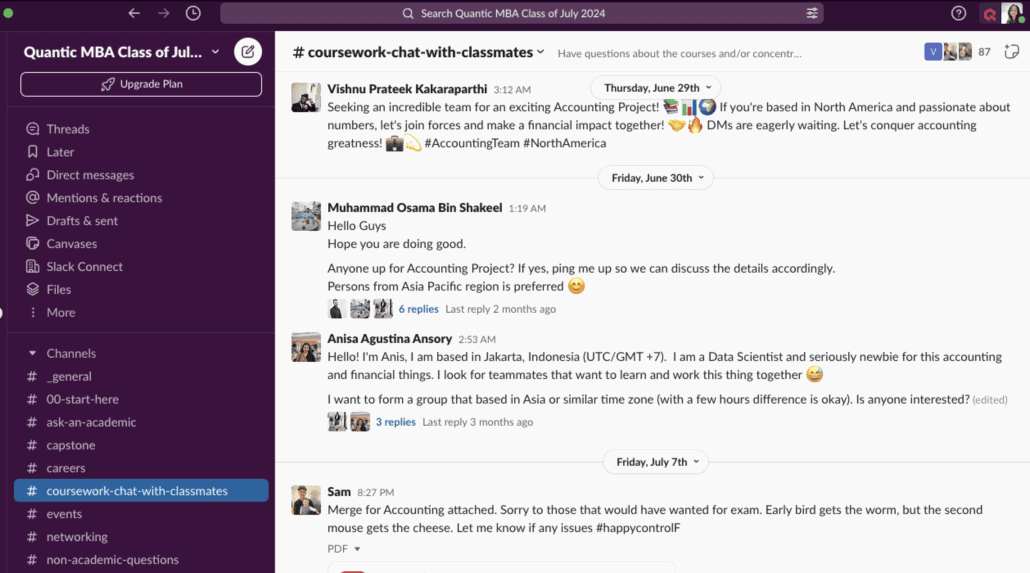
Stand-out Features: Channel-based messaging, Slack huddles (quick audio/video), 2,600+ integrations, custom workflows
Pricing (2026):
- Free: Limited features, 90-day message history, 1:1 huddles only
- Pro: $8.75/user/month (billed annually) or $10.99 monthly
- Business+: $15/user/month (annual) or $18 monthly — increased from previous $12.50 pricing in June 2025
- Enterprise Grid: Custom pricing for large organizations
AI Features: Slack AI delivers thread summaries, huddle recaps, and in-message search. As of August 2025, conversation summaries and huddle notes are available to all paid plans, while advanced AI features (recaps, translations, and semantic search) are included in Business+ and Enterprise tiers. Learn more about Slack AI.
Best For: Agile teams who need organized, flexible messaging with robust integrations and AI-powered productivity features.
2. Microsoft Teams
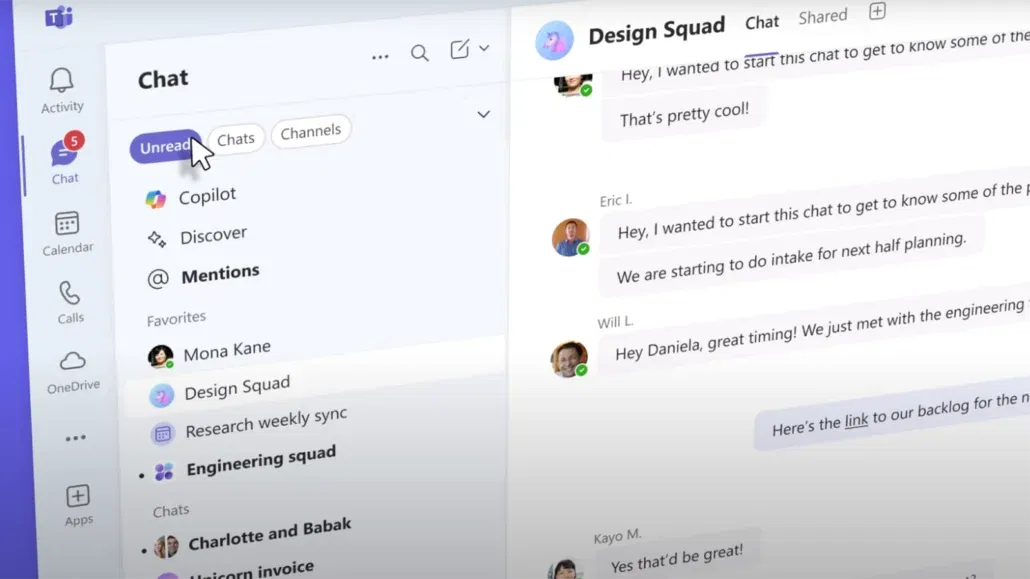
Stand-out Features: Native Microsoft 365 integration, webinar support, shared channels across organizations, threaded conversations
Pricing (2026):
- Free: Basic chat and meetings (60-minute limit)
- Microsoft 365 Business Basic: $6/user/month (includes Teams)
- Microsoft 365 Business Standard: $12.50/user/month
- Microsoft 365 Business Premium: $22/user/month
- Note: Microsoft 365 pricing increases effective July 1, 2026, tied to expanded AI and security capabilities
AI Features: Microsoft Copilot generates meeting recaps, action items, and integrated notes in OneNote and Outlook. Real-time transcription with multi-language support, speech interpretation for real-time language translation, and AI-assisted document creation across the Microsoft 365 suite. Learn more about Microsoft Copilot.
Best For: Enterprise and mid-sized companies already using Microsoft tools who want deep ecosystem integration.
3. Zoom
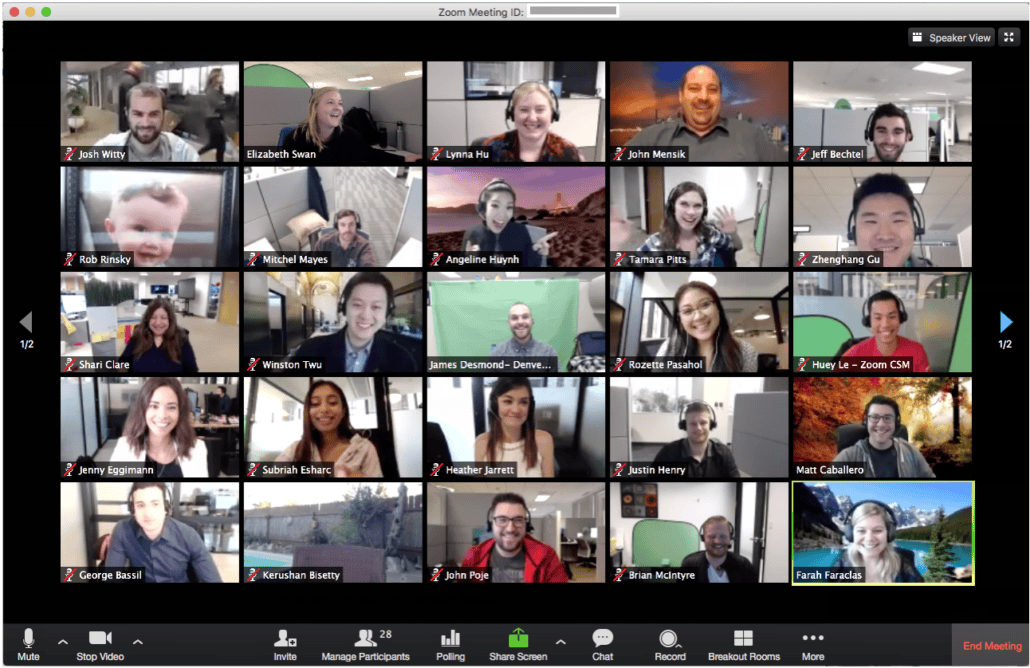
Stand-out Features: 1080p video quality, persistent team chat, webinars, breakout rooms, whiteboard collaboration
Pricing (2026):
- Free: 40-minute meeting limit, up to 100 participants
- Pro: $15.99/user/month
- Business: $21.99/user/month
- Business Plus: $26.99/user/month
- AI Companion add-on: Included in paid plans (previously $12/user)
AI Features: Zoom AI Companion can summarize meetings, generate agendas, draft follow-up emails, organize whiteboards, and provide real-time Q&A during meetings. Learn more about AI Companion.
Best For: Organizations that rely on video-first communication and need robust webinar capabilities.
Collaborative Work & Project Management
4. Asana
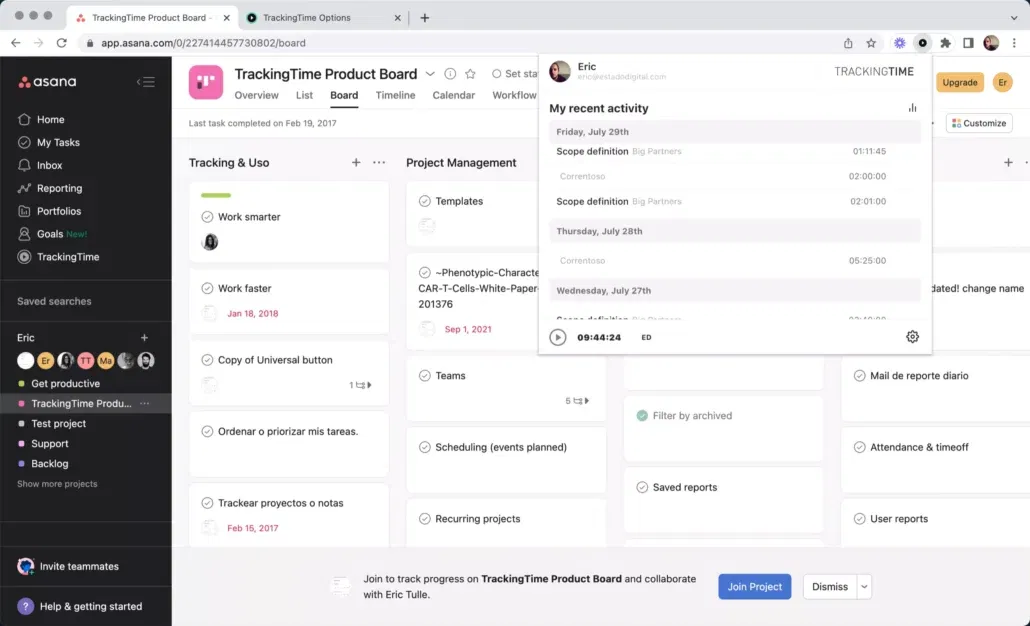
Stand-out Features: Timeline views, task dependencies, workload charts, multiple project views (list, board, calendar, Gantt)
Pricing (2026):
- Personal (Free): Up to 10 teammates, unlimited tasks and projects
- Starter: $10.99/user/month (annual) or $13.49 monthly
- Advanced: $24.99/user/month (annual) or $30.49 monthly — increased from previous $18.99 pricing in 2025
- Enterprise: Custom pricing starting around $35/user/month
- Enterprise+: Custom pricing starting around $45/user/month
AI Features: Asana Intelligence suggests next steps, automates task creation, and summarizes project goals. New “AI teammates” feature (beta) adapts to workflows for complex task management. Multilingual semantic AI search understands intent and context across languages. Learn more about Asana Intelligence.
Best For: Marketing, operations, and growing teams with multi-phase projects who need robust automation.
5. Trello
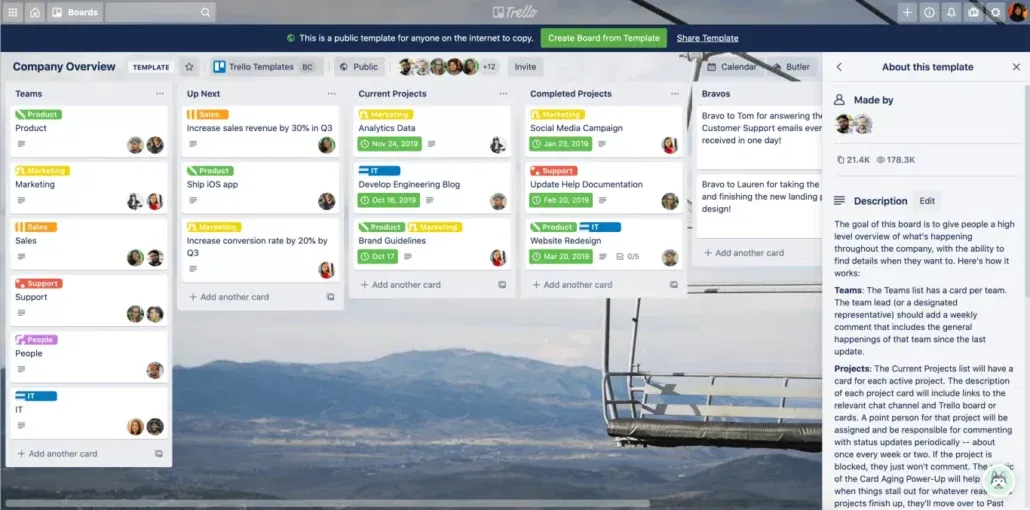
Stand-out Features: Kanban-style boards, checklist cards, Butler automation, simple drag-and-drop interface
Pricing (2026):
- Free: Limited boards and automation
- Standard: $5/user/month (10 boards per workspace)
- Premium: $10/user/month (unlimited boards)
- Enterprise: $17.50/user/month (annual pricing)
AI Features: Available through Trello Power-Ups—card recommendations, activity insights, and automation suggestions.
Best For: Small teams or individuals who prefer visual planning and simplicity over complex features.
6. ClickUp
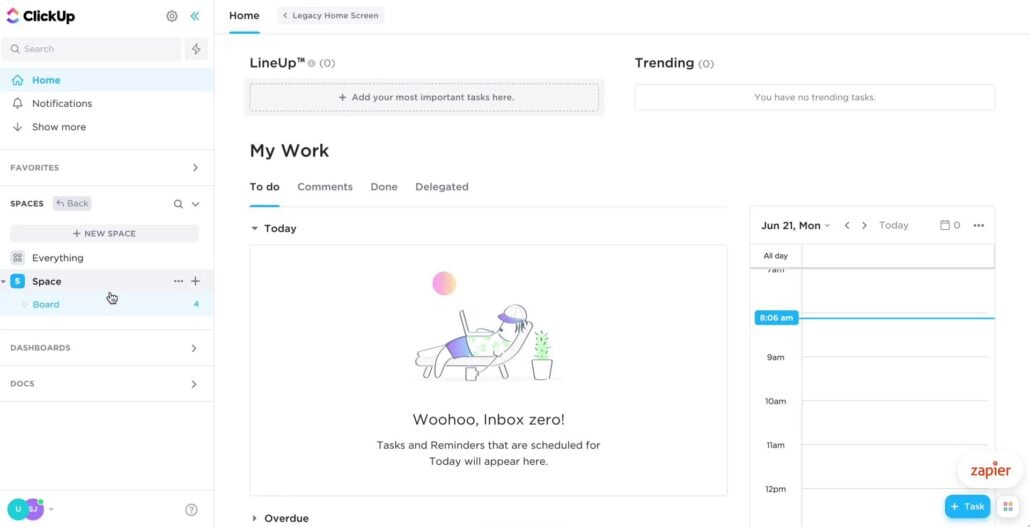
Stand-out Features: Unified docs, goals, project timelines, time tracking, 15+ customizable views
Pricing (2026):
- Free: Limited features
- Unlimited: $7/user/month (1,000 automations/month)
- Business: $12/user/month (10,000 automations/month)
- Enterprise: Custom pricing
AI Features: ClickUp AI drafts emails, rewrites tasks, summarizes notes, generates templates, and automates workflows. Learn more about ClickUp AI.
Best For: Startups, freelancers, and agile teams managing multiple workstreams who want an all-in-one solution.
7. Miro
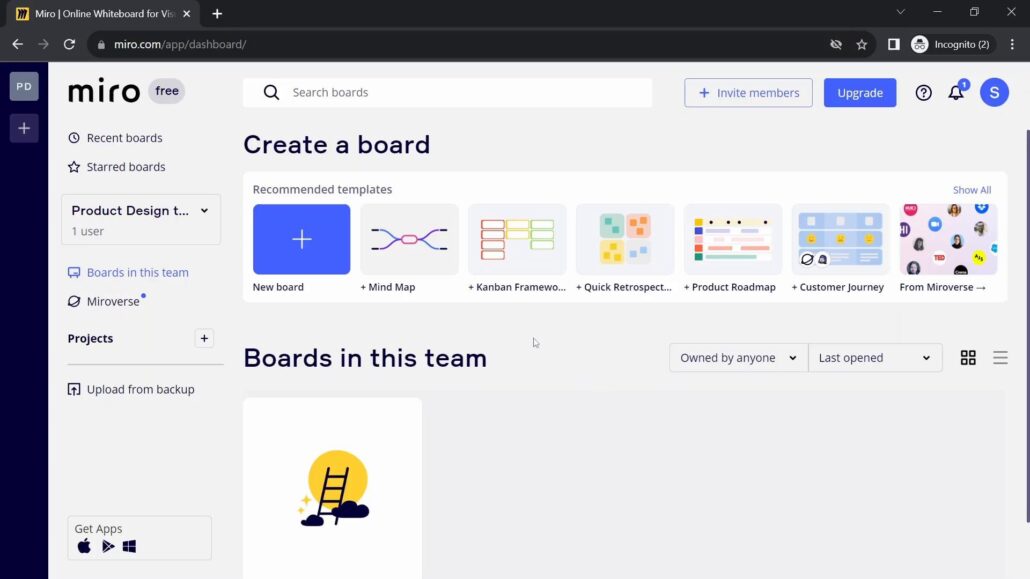
Stand-out Features: Online whiteboards, sticky notes, diagramming tools, and real-time collaboration canvas
Pricing (2026):
- Free: 3 editable boards
- Team: $8/user/month
- Business: $16/user/month
- Enterprise: Custom pricing
AI Features: Mind map auto-generation, sticky note clustering, image recognition, and smart diagram suggestions. Learn more about Miro AI.
Best For: Brainstorming sessions, design sprints, workshops, and visual collaboration.
8. Notion
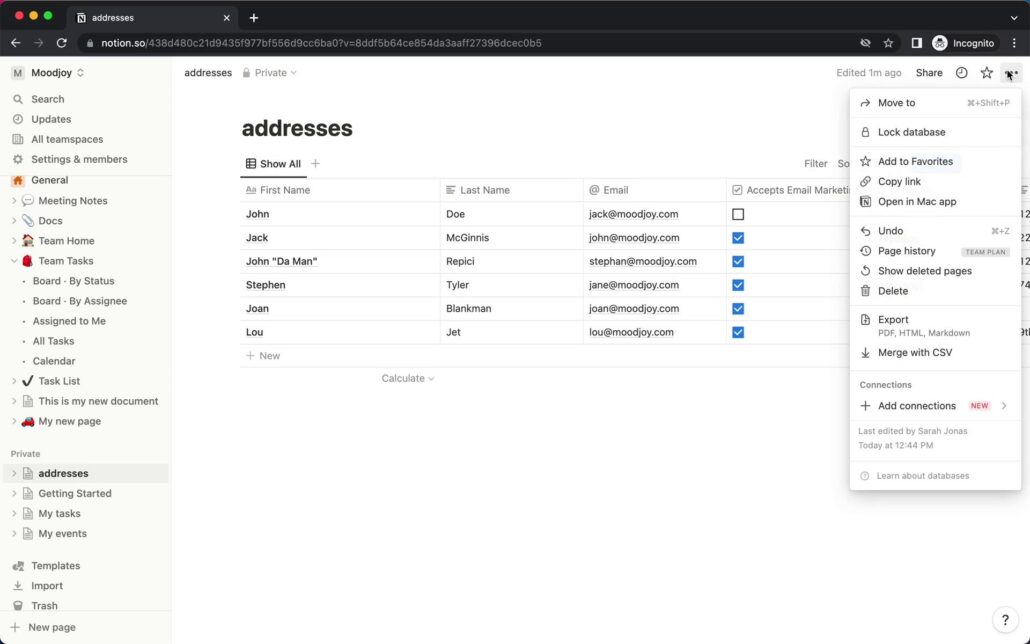
Stand-out Features: Docs, wikis, databases, calendars, all-in-one workspace
Pricing (2026):
- Free: Individual use with limitations
- Plus: $10/user/month
- Business: $18/user/month
- AI add-on: $10/member/month (previously $8)
AI Features: Notion AI can auto-write, summarize, translate, brainstorm, and generate content across docs and databases. Learn more about Notion AI.
Best For: Documentation, internal knowledge bases, flexible planning, and teams wanting a single source of truth.
9. Basecamp
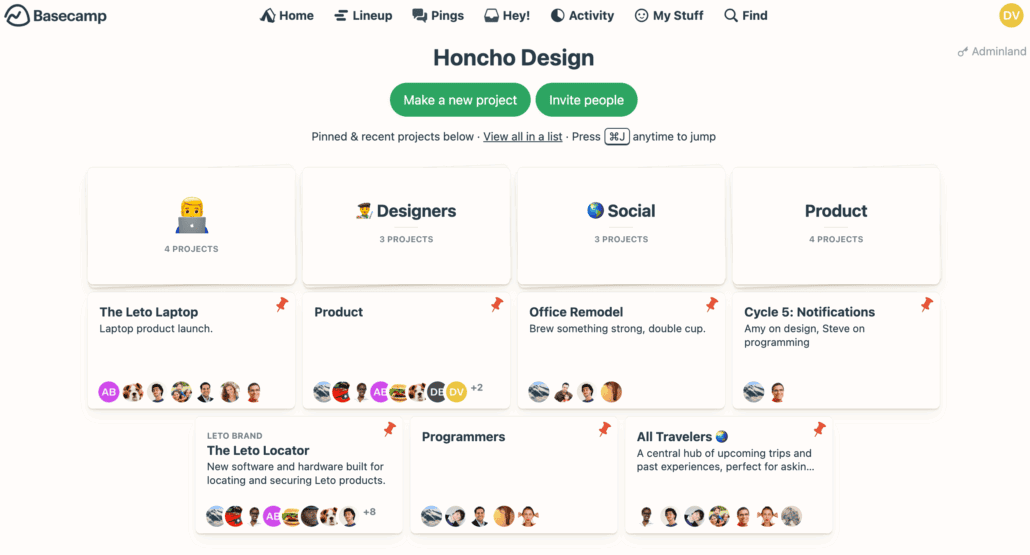
Stand-out Features: Message boards, to-dos, campfire chats, file storage, simple project organization
Pricing (2026):
- Basecamp: $15/user/month
- Basecamp Pro Unlimited: $299/month flat rate for unlimited users
AI Features: Not currently AI-focused—prioritizes simplicity over automation.
Best For: Simple, no-fuss project collaboration for teams who want straightforward tools without complexity.
10. Monday
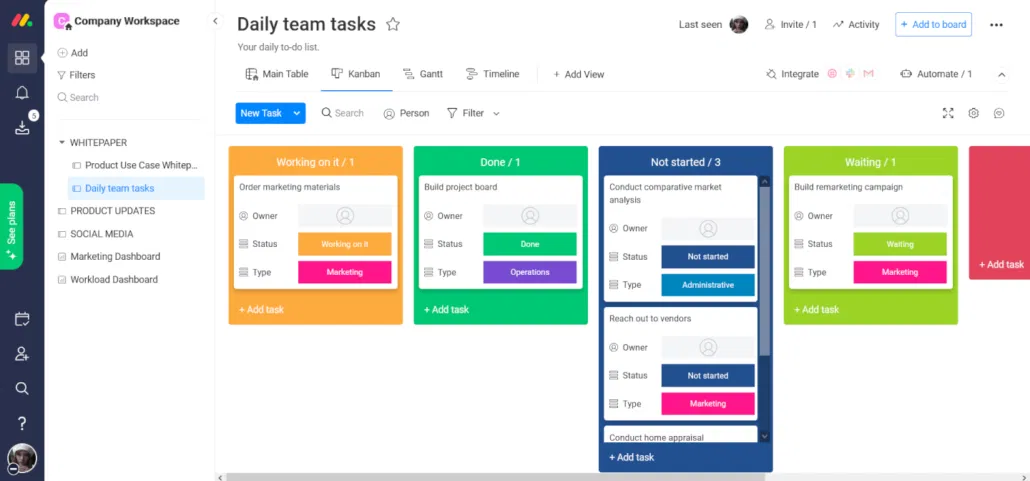
Stand-out Features: Customizable workflows, visual dashboards, automation recipes, 200+ integrations
Pricing (2026):
- Free: Up to 2 users, 3 boards
- Basic: $9/user/month (billed annually)
- Standard: $12/user/month
- Pro: $19/user/month
- Enterprise: Custom pricing
AI Features: Smart text summaries, auto-updating dashboards, AI-powered search, and workflow recommendations. New “Autopilot Hub” centralizes automations for better visibility. Learn more about Monday AI.
Best For: Businesses with unique workflows or complex approval chains that need visual project tracking.
11. Airtable
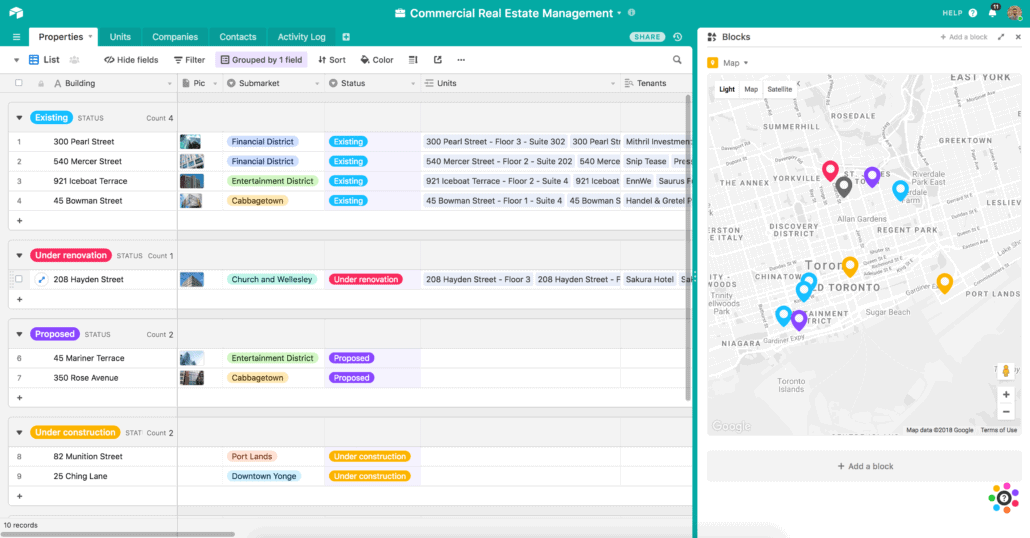
Stand-out Features: Spreadsheet-database hybrid, pre-built templates, relational data, custom apps
Pricing (2026):
- Free: Limited features
- Team: $20/user/month
- Business: $45/user/month
- AI add-on: $6/user/month
AI Features: Suggests formulas, generates summaries, automates task flows, and provides data insights. Learn more about Airtable AI.
Best For: Ops, marketing, product teams needing relational data management and automation.
12. Linear

Stand-out Features: Lightweight issue tracking, Git integrations, keyboard-first UI, fast performance
Pricing (2026):
- Free: Basic features for small teams
- Standard: $8/user/month
- Plus: $14/user/month
- Enterprise: Custom pricing
AI Features: No native AI yet, focused on speed and developer experience.
Best For: Fast-moving product and engineering teams who prioritize simplicity and keyboard shortcuts.
File Sharing & Storage
13. Dropbox
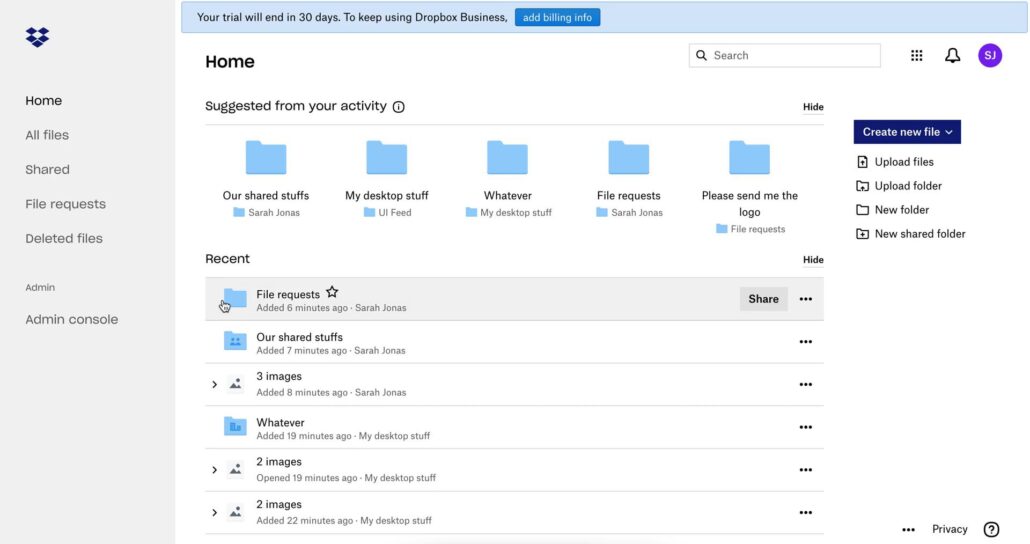
Stand-out Features: Seamless file syncing, sharing, version history, and real-time collaboration
Pricing (2026):
- Plus: $11.99/month (2TB storage)
- Professional: $19.99/month (3TB + advanced features)
- Standard (Teams): $18/user/month
- Advanced (Teams): $30/user/month
AI Features: Dropbox AI provides file summaries, smart search, and content suggestions. Learn more about Dropbox AI. Best For: Businesses needing reliable file storage with collaboration features and external sharing.
14. Google Drive

Stand-out Features: Seamless file syncing, sharing, and real-time collaboration across Docs, Sheets, Slides
Pricing (2026):
- Free: 15GB storage
- Google Workspace Business Starter: $6/user/month
- Business Standard: $12/user/month
- Business Plus: $18/user/month
AI Features: Smart Canvas AI for doc summaries, context-aware suggestions, and Gemini integration for content generation. Learn more about Google Workspace AI.
Best For: Businesses already on Google Workspace who want integrated productivity tools.
14. OneDrive

Stand-out Features: Deep Microsoft Office integration, offline sync, granular permissions
Pricing (2026):
- Included in Microsoft 365 plans (see Microsoft Teams pricing above)
- OneDrive for Business (Plan 1): $5/user/month (1TB storage)
- OneDrive for Business (Plan 2): $10/user/month (unlimited storage)
AI Features: Copilot assistance across Word, Excel, PowerPoint, and OneDrive search with intelligent file organization. Best For: Microsoft-native companies with heavy document management needs.
15. Box

Stand-out Features: Secure content management, e-signature, workflow automation, compliance features
Pricing (2026):
- Business: $20/user/month (100GB storage)
- Business Plus: $33/user/month (unlimited storage)
- Enterprise: Custom pricing
AI Features: Box AI provides summaries, context tags, anomaly alerts, and intelligent content insights. Learn more about Box AI.
Best For: Compliance-heavy sectors like legal, finance, and healthcare requiring advanced security.
Collaborative Video & Recording Tools
16. Fireflies AI
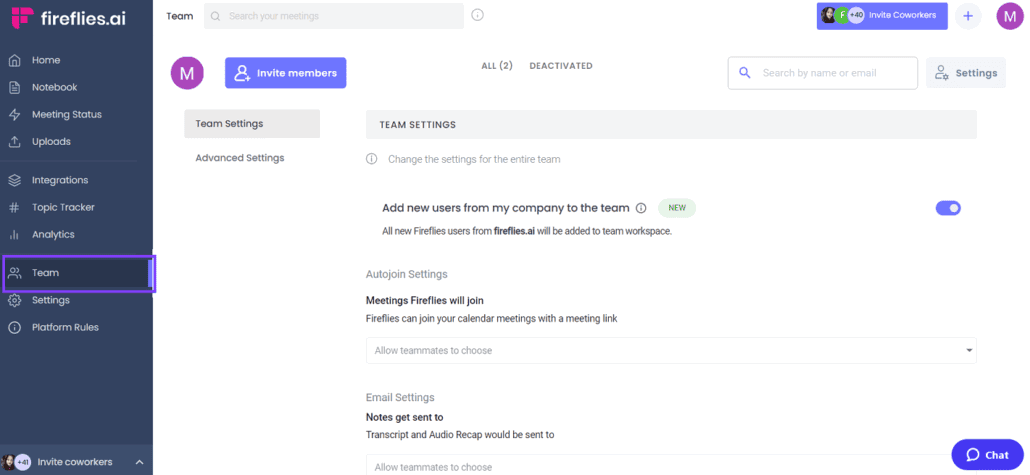
Stand-out Features: Automatic transcription, meeting search, voice snippet sharing, CRM integration
Pricing (2026):
- Free: 800 minutes storage
- Pro: $10/user/month
- Business: $19/user/month
- Enterprise: $39/user/month
AI Features: Smart summaries, action item detection, topic tracking, sentiment analysis, and searchable meeting libraries. Learn more about Fireflies AI.
Best For: Sales and support teams who need searchable meeting records and automated note-taking.
17. Loom

Stand-out Features: Record quick video messages with screen sharing, comments, reactions, and async collaboration
Pricing (2026):
- Starter (Free): 25 videos, 5-minute limit
- Business: $12.50/user/month
- Enterprise: Custom pricing
AI Features: AI auto-generates titles, video summaries, filler word removal, smart chapters, and transcriptions. Learn more about Loom AI.
Best For: Asynchronous teams, onboarding, client updates, and remote training.
18. Dialpad Meetings
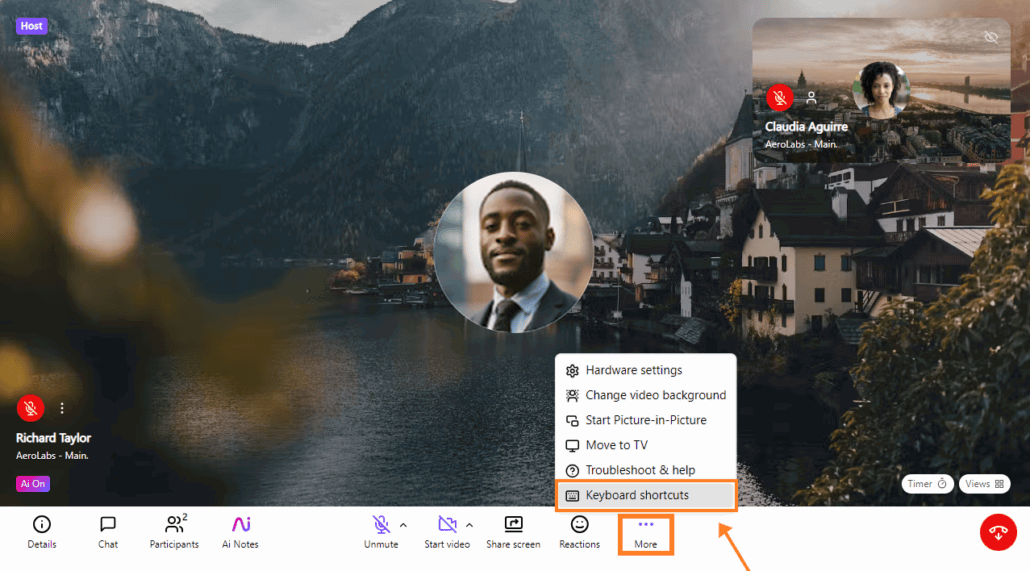
Stand-out Features: Browser-based video meetings, real-time transcription, call recording, calendar integrations
Pricing (2026):
- Free: 45-minute limit
- Business: $15/user/month
- Enterprise: Custom pricing
AI Features: Real-time voice transcription, AI-powered call summaries, post-call action items, and coaching insights.
Best For: Small to mid-sized teams needing built-in AI transcription without extra apps.
19. TrueConf
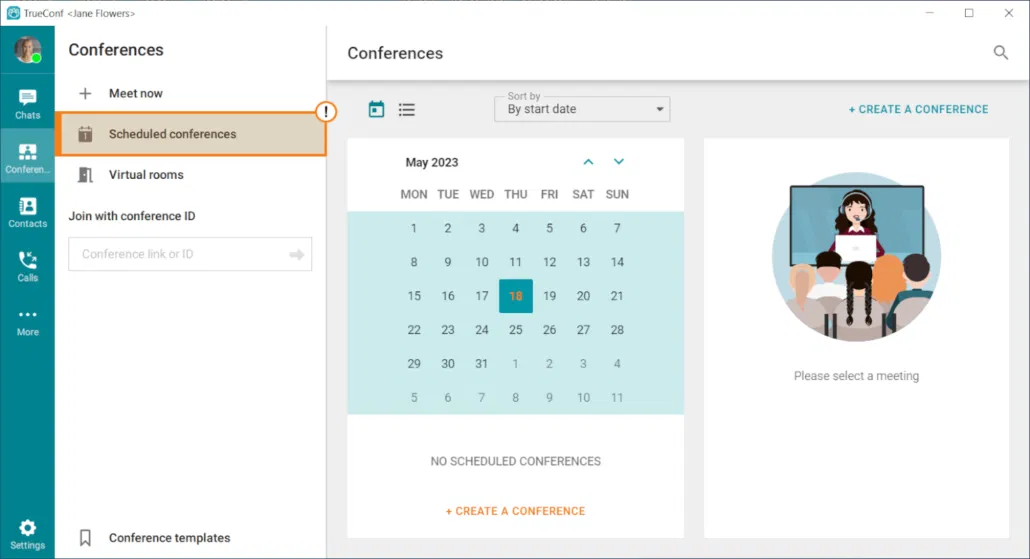
Stand-out Features: Ultra-secure self-hosted video meetings, 4K video, screen sharing, remote desktop control
Pricing (2026):
- Free: Up to 12 users
- Business/Enterprise: Custom-priced licenses
AI Features: No notable built-in AI as of 2026—primarily focused on security and on-premise hosting.
Best For: Government, healthcare, and industries with high-security video conferencing needs.
20. Skype
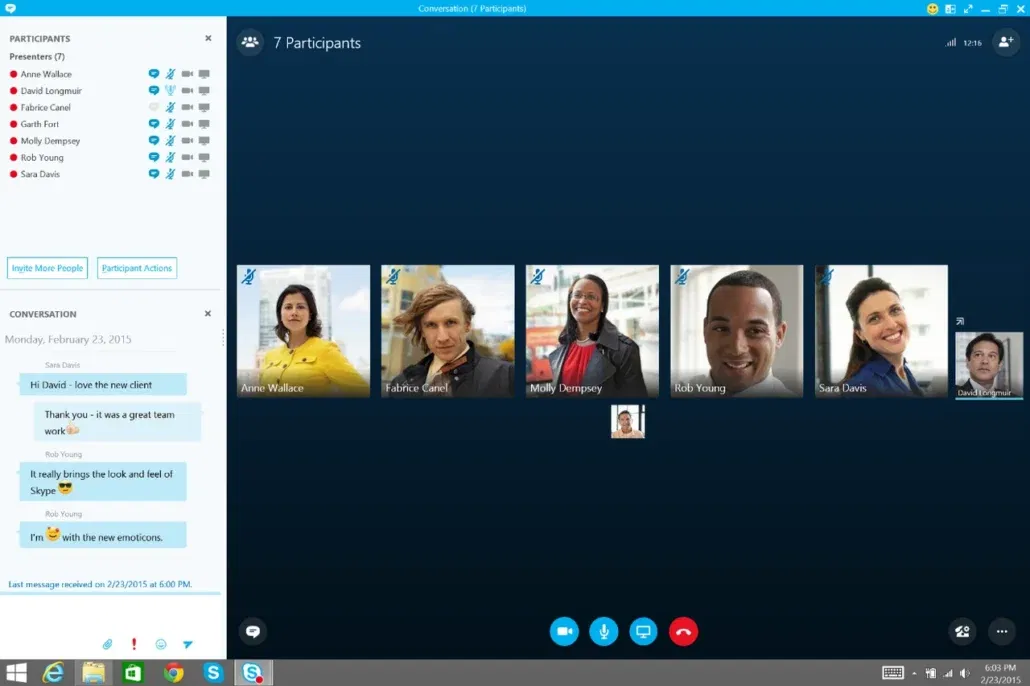
Stand-out Features: Video calls, instant messaging, phone number calling, live subtitles
Pricing (2026):
- Free: Basic video and messaging
- Pay-as-you-go: International calling rates vary
AI Features: Live AI-powered subtitles and translation during video calls; Microsoft Copilot integrations expected via the Microsoft 365 ecosystem. Learn more about Skype features.
Best For: Individuals or small businesses with international communication needs and basic collaboration requirements.
Final Thoughts: Working Smarter in 2026
Remote collaboration in 2026 isn’t just about staying connected—it’s about working smarter. These AI-powered tools reduce friction, automate repetitive tasks, and give teams the freedom to focus on high-impact work.
Whether you’re building a global startup or leading a legacy enterprise through digital transformation, the right collaboration stack can be the difference between stagnation and scale.
Key Takeaways:
- Communication tools like Slack and Microsoft Teams now include AI summaries and automation as standard features
- Project management platforms increasingly integrate AI for task automation, smart suggestions, and workflow optimization
- File sharing services leverage AI for intelligent search, content summaries, and automated organization
- Video collaboration has evolved beyond simple recording to include AI transcription, action item extraction, and searchable libraries
The most successful teams in 2026 aren’t just using these tools—they’re strategically combining them into cohesive workflows that maximize productivity while minimizing cognitive load.
Ready to Scale with Smarter Systems?
At MyOutDesk, we help businesses like yours build productive, AI-enabled virtual teams that drive growth. Our virtual professionals are trained in the latest collaboration tools and AI platforms, ensuring they integrate seamlessly with your existing workflows.
What We Offer:
- Virtual assistants proficient in Slack, Teams, Asana, Notion, Loom, and more
- Pre-vetted professionals with modern tool expertise
- Flat-rate pricing for budget predictability
- Custom matching to your business needs and tech stack
- Built-in backup and replacement guarantees
- Ongoing training on emerging AI tools and platforms
Reach out today and discover how a MyOutDesk virtual professional can help streamline your operations, reduce costs, and boost productivity. AI isn’t waiting for you, so don’t wait for AI.
Schedule Your Free Consultation to learn how we can build your ideal AI-enabled team.